





Pool Schedule
Plan Your Swim
Whether you’re swimming laps, joining an aquatic class, or enjoying recreational swim time, check the latest pool schedule before your visit.
For an up-to-date version of the schedule, download the FitRec app. It is free and available on Apple and Android devices.


Activity Definitions
| Activity | Details |
|---|---|
| Aqua Classes | Free to members, pool divided by rope; deep end of pool can be used for open recreation (up to 6 people). |
| Birthday Party | This indicates that birthday parties may be scheduled in pool; open rec swim may be available if there are no rentals taking place (refer to FitRec App for reservations) |
| Camp Swim | Whole pool area is reserved for summer camp participants only. |
| Group Swim Lessons | Entire lap pool closed for Group Swim Lessons (shallow & deep ends). |
| Lap Swim | All lanes open for lap swimming reservations; Up to 2 members may reserve a lane; swimmers should be prepared to share lanes (refer to FitRec App for reservations). Learn more about Lap Swim reservations and policies. |
| Mixed Usage | Lanes 1 & 2 are open recreation. Lanes 3 & 4 are lap swim. No reservation required. Max of 2 per lane (30 minutes per lane limit). |
| Open Rec Swim | Pool divided by rope, both ends of pool can be used for recreation i.e. exercising, aqua walking/jogging and family swim time. The max capacity in the pool at this time will be 20 people and will be first-come, first-served. No prior reservation needed. |
Reservation Guidelines
Registration is still required for lap swim – members may reserve up to 1 hour per day for lane reservations up to three days in advance starting at noon of the first day (i.e. after noon you can reserve a lane up to three days in advance, before noon and you can only book up to two advance days because present day counts as third day). Members will also be able to participate in Open Rec swim times and take part in aqua classes. Please call Membership Services at 708-608-4000 with any questions.
FitRec tracks lane reservations and records “no-shows” on a daily basis. If a member does not report for a scheduled lane reservation, then it will be marked as a “no-show.” After two “no-shows” the member will have their reservation privileges suspended for a full week. If a member records more than five “no-shows,” they will have their reservation privileges suspended permanently. If you need to cancel your lane reservation, please call us at 708-608-4000 or use our MVCC FitRec app or online portal at least 12 hours in advance. If you fail to cancel your reservation using one of these methods, your reservation will be marked as a “no-show.” When using the app to cancel, select your reservation from the Calendar section on the My reservations page and hit the Cancel button at the bottom of the screen. When you come into the facility for a lane reservation, please check in at the Welcome Desk and let the attendant checking you in know that you are checking in for a lane reservation. You will need to also check in with the Lifeguard on Duty as well before using your lane.
Fall 2026 Pool Schedule (Aug. 24 – Dec. 13)
Sping 2 Pool Schedule (April 2-May 20)
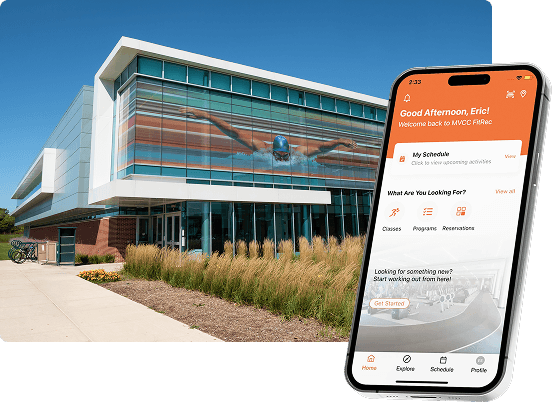
Get started with FitRec.
Join FitRec now and access classes, courts, pool time, group fitness, and more — all in one place. Sign up in the portal to join today. Then use the FitRec app to register for classes, reserve swim lanes, book time on the floor, and manage your account anytime, anywhere.